


7 Key Facts About IronAI Bionic VaginaX: How It Works & Buying Guide

1. What Does the Ideal Smart Intimate Experience Look Like?
In the past, most sex doll electric suction features followed a simple logic: flip a switch, and the machine runs a preset cycle on repeat. No matter your rhythm or intensity, your girl delivered the same rigid response every time. It merely executed a function — it never gave a genuine response.
Irontech took a completely different approach with the IronAI Bionic VaginaX. Their core design philosophy: interaction should feel like a response, not just a feature. This is no longer a standalone mechanical component. It is a bionic sensory module that integrates sensing, interaction, and intelligent feedback into the complete IronAI ecosystem.
For a more intuitive understanding, watch the demonstration video below — it will make more sense than words alone.
2. How Does It Deliver Real Responses?
Many people wonder: what drives this intelligent module?
The brain of the entire system is the IronAI CoreAI control core. This is a non-negotiable hardware prerequisite. The IronAI Bionic VaginaX cannot function independently — it requires the CoreAI to operate.
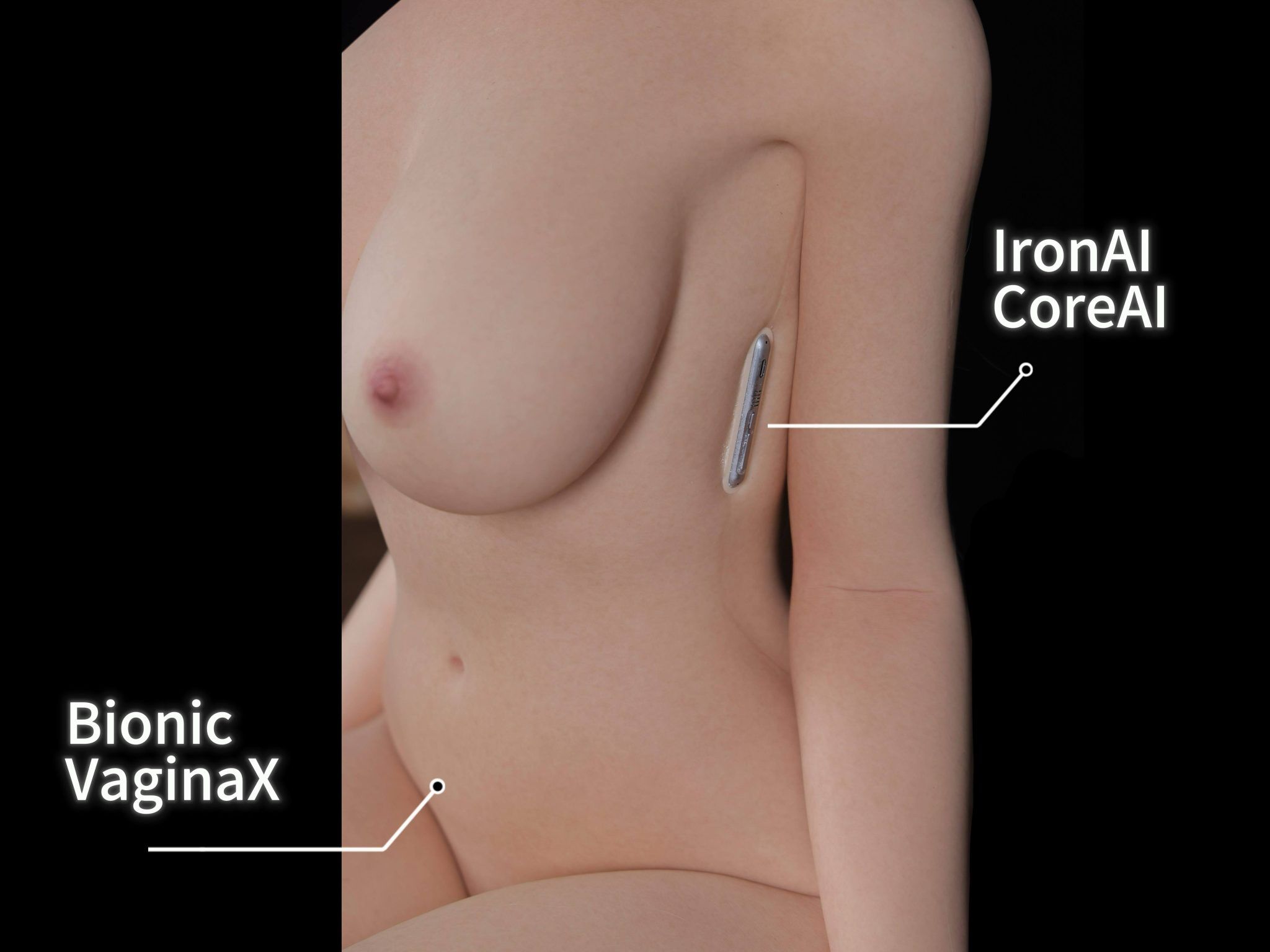
CoreAI handles system control and coordination, while the IronAI Bionic VaginaX automatically provides heating, offline audio, suction, and vibration feedback based on detected movement and interaction.
This feature is built around automatic sensing and automatic response. After connection, power-on, and parameter setup, the system automatically activates or deactivates functions (suction, moaning, heating, vibration) based on detected usage. This means the Dollia App does not offer manual start or stop buttons for the IronAI Bionic VaginaX.
The workflow breaks down into three steps:
- Sensing: Built-in sensors inside the sex doll's canal continuously capture speed, depth, duration, rhythm, and other multidimensional data during interaction.
- Processing: CoreAI receives the sensor data and identifies the current interaction state.
- Response: The system automatically triggers bionic suction, vibration, heating, and offline audio — all fully automated.
Two critical buying tips that many new users overlook:
- ✅ Once you select the IronAI Bionic VaginaX, you do not need to also purchase the IronAI TalkX feature (AI voice chat). Voice-related feedback is already included — no double spending.
- ✅ The previously separate customization options for Vagina Automatic Clamp & Suck and Moaning Function have been discontinued. These features are now fully integrated into the IronAI Bionic VaginaX and are no longer sold individually.
3. 4 Core Experiences – Why It Feels Different from Traditional Suction
The IronAI Bionic VaginaX delivers four key advantages that set it apart:

Smart Response
Built-in flexible sensing technology detects dynamic changes during penetration, delivering coordinated multi-dimensional feedback — not just repetitive mechanical motion.

Natural Warmth
An intelligent progressive heating system reaches body-temperature warmth much faster than before. Traditional heating takes 1-2 hours; the IronAI Bionic VaginaX achieves it in about 30 minutes, enhancing the immersive experience.

Responsive Feedback
Not a fixed program loop. It dynamically adjusts output based on your rhythm, frequency, and intensity — adapting to your pace. According to the manufacturer, it even has memory capabilities to better match your climax state with varied suction and vibration patterns.
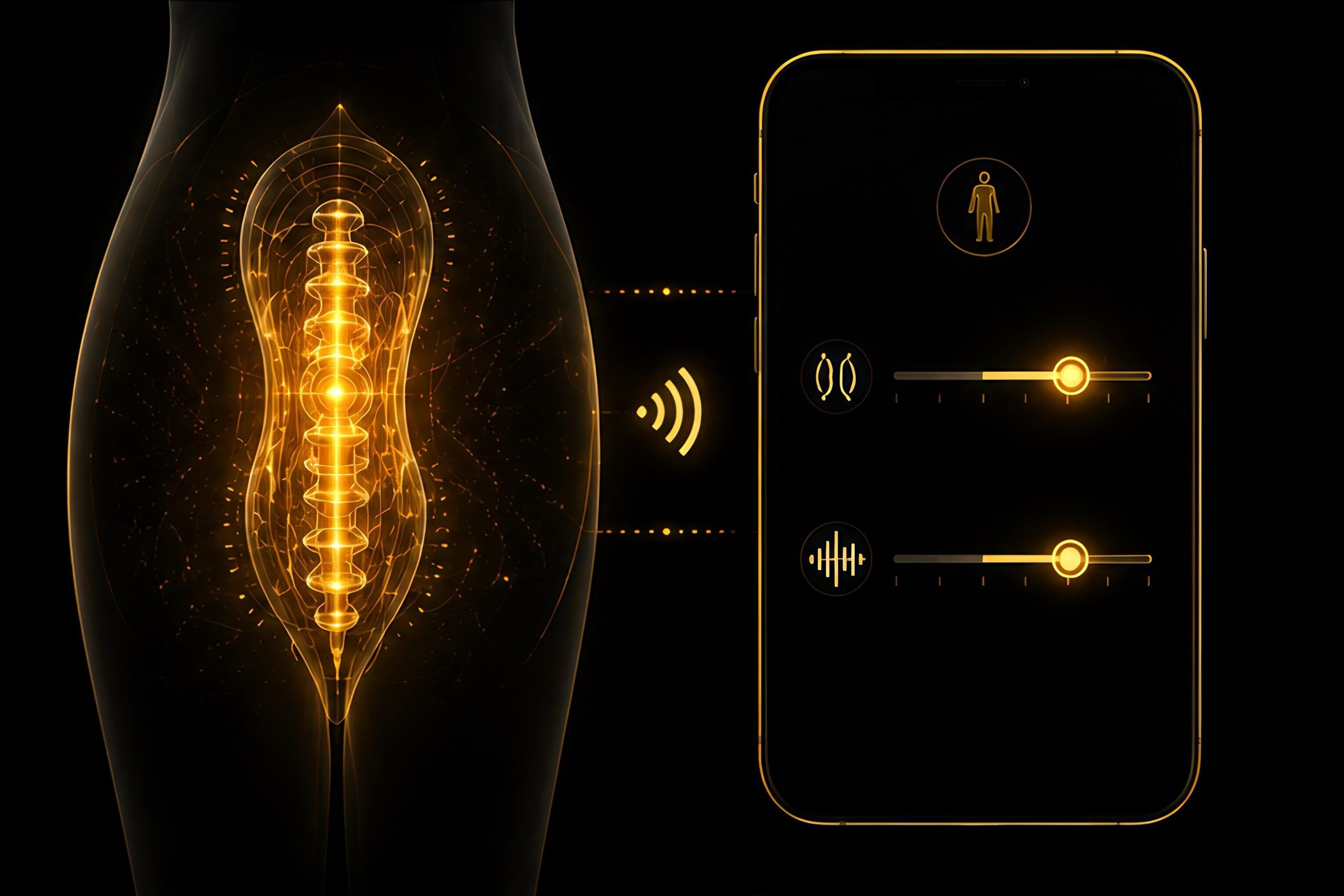
Personalized Control
Through the Dollia App, you can customize two parameters: Sensitivity and Tightness Control, allowing you to fine-tune the experience to your preferences.
4. Quick Setup Guide – Step by Step
1. Pre-Use Check
Inspect CoreAI, IronAI Bionic VaginaX, power supply, cables, and connectors for visible damage or looseness. Ensure all electrical connectors are completely dry. Before first use, confirm that the Dollia App has completed device pairing.
2. Connect Power and Start CoreAI
Connect the compatible power supply and confirm the cable is secure. Press and hold the PWR button on CoreAI for about 3 seconds to power on. The device does not turn on automatically when plugged in.
3. Open Dollia App
Open the Dollia App and navigate to the Device page. Confirm CoreAI is online and that the Intimate Mode page for IronAI Bionic VaginaX displays normally.
4. Set Sensitivity
Sensitivity has 5 levels, adjusting how responsive the system is to interaction changes. For first-time use, start with a low or medium level and adjust incrementally based on your feedback. Sensitivity does not represent mechanical speed.
5. Set Tightness Control
Tightness Control has 5 levels, primarily adjusting the firmness of suction and contraction feedback. Start at the lowest level, confirm comfort, then increase gradually.
6. Automatic Heating
The system only begins heating once it detects movement, maintaining a comfortable range of 34-44°C (93-111°F). When it reaches the upper limit, heating pauses and resumes after the temperature drops — never overheating continuously.
According to the official manual, it typically takes 15-20 minutes to reach around 40°C (104°F). This is normal, not a malfunction. Heating does not shut off immediately when motion stops — it only turns off after the device remains still for a preset duration.
7. Automatic Interaction Feedback
When the IronAI Bionic VaginaX detects interaction, the system automatically activates offline audio, suction, and vibration feedback. This is fully automated and cannot be manually triggered via App, voice, or buttons.
8. Adjust During Use
If you want to change feedback during use, adjust Sensitivity or Tightness Control in the Dollia App. Adjust one level at a time and continue based on how it feels.
9. Voice Function Notes
When offline interaction feedback is active, AI voice chat and voice command recognition are temporarily disabled — only local offline audio plays. After the offline state ends, AI voice functions resume.
10. Ending Interaction
After stopping, the system continues monitoring. When no interaction is detected for approximately 2 consecutive minutes, offline audio, suction, and vibration stop automatically.
11. Stop Heating and Power Off
Once you stop moving and remain still, heating will turn off after reaching the firmware-preset still duration. After confirming feedback has stopped, press and hold the CoreAI PWR button for about 3 seconds to power off, then disconnect the external power.
5. Compatibility Check – Who Cannot Use This Module
Not all Irontech brand sex dolls support the IronAI Bionic VaginaX. There are strict compatibility restrictions. Be sure to check before ordering to avoid disappointment from hardware incompatibility.

- ❌ TPE material sex dolls are not compatible with the IronAI Bionic VaginaX
- ❌ If you require anal functionality, the IronAI Bionic VaginaX cannot be selected
- ❌ Not compatible with removable insert designs
- ✅ Must be paired with the IronAI CoreAI control core
- ✅ When selecting IronAI Bionic VaginaX, there is no need to add the IronAI TalkX voice box
6. Cleaning & Maintenance – Extra Care Required
Because this system contains numerous electronic sensing components, cleaning and maintenance differ significantly from standard silicone canals. Do not follow your usual cleaning routine.

- Before cleaning, always power off and disconnect CoreAI from power. The CoreAI control box is not waterproof — never rinse or submerge it. Only wipe with a soft, dry cloth.
- The canal can be rinsed with water and mild body wash, using the included cleaning tool to flush the interior. After cleaning, insert a drying rod and allow the interior to dry completely.
- All electrical connectors must be completely dry before reconnecting power. Moisture will directly damage electronic components.
- For long-term storage, keep in a cool, dry place away from direct sunlight. Regularly inspect power cords and connectors — if you find damage or looseness, stop using immediately.
- If you encounter unusual noises, abnormal vibrations, excessive heat, odors, or any other irregularity during use, power off immediately and stop using. Do not attempt to disassemble or modify the device — contact Linkdolls customer service directly.

Troubleshooting Table
| Issue | Possible Cause | Solution |
|---|---|---|
| CoreAI won't power on | Power not connected, cable loose, or power supply issue | Check power and cable connections, press and hold PWR for about 3 seconds |
| App cannot find device | Bluetooth or permissions not enabled, device connected to another phone | Enable required permissions, move closer to device, disconnect from other phones, and retry |
| Auto heating not starting | Movement not detected or power issue | Confirm CoreAI is on and powered, gently move device and observe temperature |
| Temperature not rising further | Approaching the ~44°C upper limit | Normal temperature control logic; heating will resume when temperature drops |
| Suction, vibration, or offline audio not starting | System not detecting interaction state | Confirm device connection, re-trigger interaction detection, or tap the reset module button in the App |
| Weak tightness feedback | Tightness Control set too low | Increase Tightness Control gradually, avoid jumping multiple levels at once |
| Weak sensitivity feedback | Sensitivity set too low | Increase Sensitivity level and observe actual feedback |
| AI voice not responding during use | System is in offline interaction feedback state | End interaction and wait for offline feedback to stop; voice function will resume |

7. FAQs – Most Common Questions Answered

8. Final Thoughts
Many people compare the IronAI Bionic VaginaX to traditional suction features. But the underlying philosophy is completely different.
Traditional products are about the machine delivering an action, and you adapting to the machine.
The IronAI Bionic VaginaX pursues the opposite: the machine sensing your state and delivering a response tailored to you.

Of course, this fully automated model is not for everyone. If you prefer complete manual control — wanting to turn things on and off instantly at will — the automatic logic of this system might feel unfamiliar.
But if you want an intelligent interactive system that reads your rhythm, changes dynamically, and delivers a more immersive experience, then the IronAI Bionic VaginaX is definitely worth considering.
Technology gives us more than just stronger mechanical force — it gives us an interactive experience that feels closer to real intimacy.
Explore the full range of robotic dolls and sex robot girls at Linkdolls today. For the latest on robotsex technology and virtual sex doll upgrades, visit our dedicated IronAI Bionic VaginaX page.